10 Best Collaboration Tools for Remote Teams in 2026: Features, Design, Pricing, Insights, and More

Vantage Circle
A Global Employee Engagement Platform

Introduction
In the ever-evolving landscape of remote work, the need for effective collaboration tools has become paramount. As more and more individuals find themselves working from home or in distributed teams, the demand for platforms that facilitate seamless communication, project management, and teamwork, has surged.
In this blog, we delve into the realm of collaboration tools tailored for remote workers, exploring a myriad of options designed to bridge the gap between distance and productivity. From instant messaging apps to project management software, we'll uncover the diverse array of tools available to empower remote teams and enhance their ability to collaborate efficiently.
What are Collaboration Tools?
Collaboration Tools encompass a range of software applications and platforms designed to facilitate communication, coordination, and collaboration among individuals or teams, regardless of their physical location. These tools serve as virtual workspaces where remote workers can connect, share ideas, collaborate on projects, and manage tasks in real-time.
From video conferencing platforms for face-to-face meetings to project management tools that streamline workflow, collaboration tools play a crucial role in fostering teamwork and productivity in remote work environments. Whether it's brainstorming ideas, sharing documents, or tracking project progress, these tools provide the infrastructure necessary for remote workers to collaborate effectively and achieve their goals.
Remote Collaboration Tools - Features
Some of the must-have features for Collaboration Tools designed for remote teams include:
Real-Time Collaboration : Essential for synchronous work, allowing team members to edit documents, share screens, and communicate in real time.
Messaging Tools : They form the core of a team’s communication system, keeping conversations organized and maintaining a record of all communications.
Video Conferencing : Enables face-to-face meetings and presentations, which is crucial for discussions that require more personal interaction.
Onboarding Tools : Facilitates the smooth integration of new hires into the organization by providing necessary information and documentation.
Performance Management : Conducts regular performance evaluations and provides a platform for feedback and development planning.
Training Management : Tracks employee training needs, schedules, and completion status.
Compensation Planning : Helps design and manage salary structures, bonuses, and other forms of compensation.
Benefits Administration : Manages employee benefits, such as health insurance, retirement plans, and other perks.
Workforce Analytics : Helps collect data about the workforce, analyze them, and transform those into insights on workforce trends.
Self-Service Portals : This enables employees to access and update their personal information, view pay stubs, and manage benefits.
Mobile Accessibility : Provides mobile access to essential HR functions, allowing employees and managers to perform tasks on the go.
List of Top 10 Collaboration Tools in 2026
Google Workspace (formerly G Suite) :Suite of productivity tools including Gmail, Docs, Drive, offering seamless real-time collaboration and strong user ratings.
Zoom : Video conferencing tool known for its ease of use, reliable performance, and real-time collaboration features.
Slack : Instant messaging platform with robust real-time collaboration features and integration
Microsoft Teams :Integrated collaboration platform with chat, video meetings, file storage, and extensive Microsoft Office integration.
Click Up : Project management platform designed to streamline workflows and boost productivity.
Todoist : Versatile task management tool that helps users stay organized and productive.
Confluence : Collaboration software that enables teams to create, share, and collaborate on projects and documentation in one centralized platform.
Miro : Digital whiteboard platform facilitating visual collaboration, brainstorming, and real-time updates.
Trello : Visual project management tool based on boards and cards, ideal for collaborative task management and project tracking.
Asana : Project management tool facilitating team collaboration, task organization, and real-time updates on project progress.
Choosing the Top Remote Collaboration Software
In picking the top 15 Collaboration Tools among so many options, we went through a detailed process. We started by looking at what each tool offers, how easy it is to use, and if it can work well with other apps. Then, we checked what people who use these tools say about them.
After that, we compared all the tools based on their features and how well they work. We wanted to find the most helpful ones for people who work remotely. Finally, after considering all these things, we scored the contenders across 4 parameters, namely, Features, User-Friendliness, user ratings and real-time collaboration.
Here’s a detailed breakdown of the parameters:
Real-Time Collaboration:
To evaluate the real-time collaboration features of each tool, we explored product demos, user guides, and tutorials provided by the vendors. Additionally, we sought feedback from industry experts and thought leaders to gain deeper insights into the real-world performance of these tools in facilitating synchronous collaboration.
User-Friendliness:
To gauge user-friendliness, we delved into user testimonials, and expert reviews available on various platforms. These sources provide detailed analyses of the user interface, navigation, and overall usability of each tool, helping us identify solutions that are user-friendly and easy to onboard for team members.
Features:
To assess the features offered by different tools, we consulted vendor websites, product documentation, and comparison articles on reputable tech publications like TechCrunch, Forbes, and Business Insider.
User Ratings:
User ratings provide valuable insights into the overall satisfaction and user experience with a particular collaboration tool. To ensure we're selecting a tool that resonates well with users, we scoured reputable review platforms such as G2, Capterra, and Trust Radius.
Expert Score:
We structured our judgement around additional considerations such as integration capabilities, trustworthy security, file sharing and management, and mobile accessibility clubbed together as Expert Score.
Detailed Overview- Best Collaboration Tool for Remote Teams in 2025

Google Workspace
Why Google Workspace
Google Workspace shines as an outstanding suite of productivity tools, highly esteemed by remote workers for its seamless collaboration capabilities. Its comprehensive array of communication and productivity tools empowers remote teams to collaborate effectively, bridging geographical divides and nurturing a united work environment. Whether coordinating projects, hosting virtual meetings, or collaborating on documents in real time, Google Workspace facilitates clear and efficient communication, enriching collaboration irrespective of physical distances.
Furthermore, Google Workspace's seamless integration with a variety of third-party applications amplifies its value for remote teams. By consolidating essential features within Google Workspace, remote teams can reduce workflow interruptions, optimize efficiency, and uphold seamless communication channels, ultimately propelling towards success.

Best For: Companies of all sizes
Standout Features
Live collaboration using Google Docs, Sheets, and Slides
Built-in video conferencing via Google Meet
Shared calendars and to-do list through Google Calendar and Tasks
Compatibility with external productivity tools
Secure cloud storage and file sharing via Google Drive
Tailored email solutions with Gmail

- Its products are straightforward to grasp, featuring a user-friendly interface for effortless adaptation.
- Google Workspace unifies key productivity tools, streamlining the switch between email, documents, calendar, and chat for an improved user experience.
Customer Review
“The best thing about Google Workspace is everything easily syncs together. You can easily share and live edit documents with your colleagues.” (Source: G2)

- There are some concerns about privacy due to the data being stored on the cloud.
- The apps are primarily online, which can be a limitation without internet access.
Customer Review
“If there is a problem with my internet access, I will not be able to access those documents until my internet is re-established.” (Source: G2)
Clientele
- Verizon
- Colgate-Palmolive
- HP
- Salesforce
- PwC
Pricing

Zoom
Why Zoom
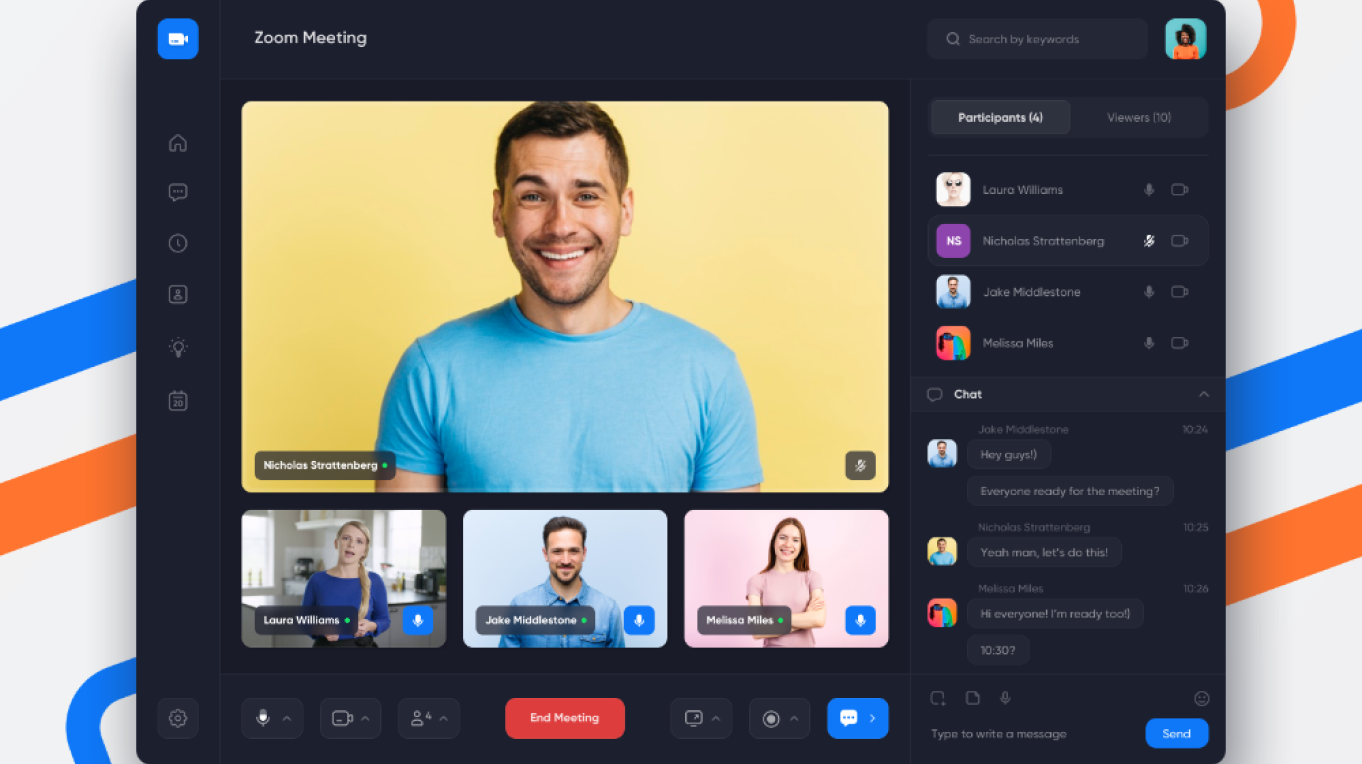
Zoom stands out as an outstanding video conferencing solution, highly preferred by remote workers for its smooth and dependable communication capabilities. Its real-time video and audio functions empower remote teams to engage in lifelike discussions, effectively closing the physical gap and cultivating a strong sense of presence reminiscent of face-to-face interactions. Whether it's a crucial team meeting, a client presentation, or an informative training session, Zoom facilitates crystal-clear communication, enriching collaboration despite geographical barriers.
Furthermore, Zoom's seamless integration with a variety of productivity tools enhances its value for remote teams. By centralizing essential features within Zoom, remote teams can boost productivity, reduce interruptions, and uphold smooth communication channels, ultimately contributing to their success.
Best For:
Small & Mid-Sized Companies
Standout Features
High-quality video and audio
Screen sharing and virtual backgrounds
Breakout rooms for group discussions
Integration with productivity tools
Recording and transcription capabilities
Host controls for security and privacy
- It supports meetings of any size, from one-on-one chats to large webinars with thousands of participants.
- User friendly interface.
Customer Review
“The ease of use and implementation is a good experience for my daily use. It is easy to integrate and has many features to have an easy-going meeting” (Source: G2)
- Zoom sessions can be disrupted by ‘Zoombombing’, where uninvited guests intrude on meetings.
- Zoom, while generally reliable, can encounter technical glitches.
Customer Review
“One common dislike about Zoom is the potential for technical issues, such as audio or video glitches, which can interrupt meetings.” (Source: G2)
Clientele
- Uber
- Airbnb
- Target
- Wells Fargo
- VMware
Pricing

Slack
Why Slack
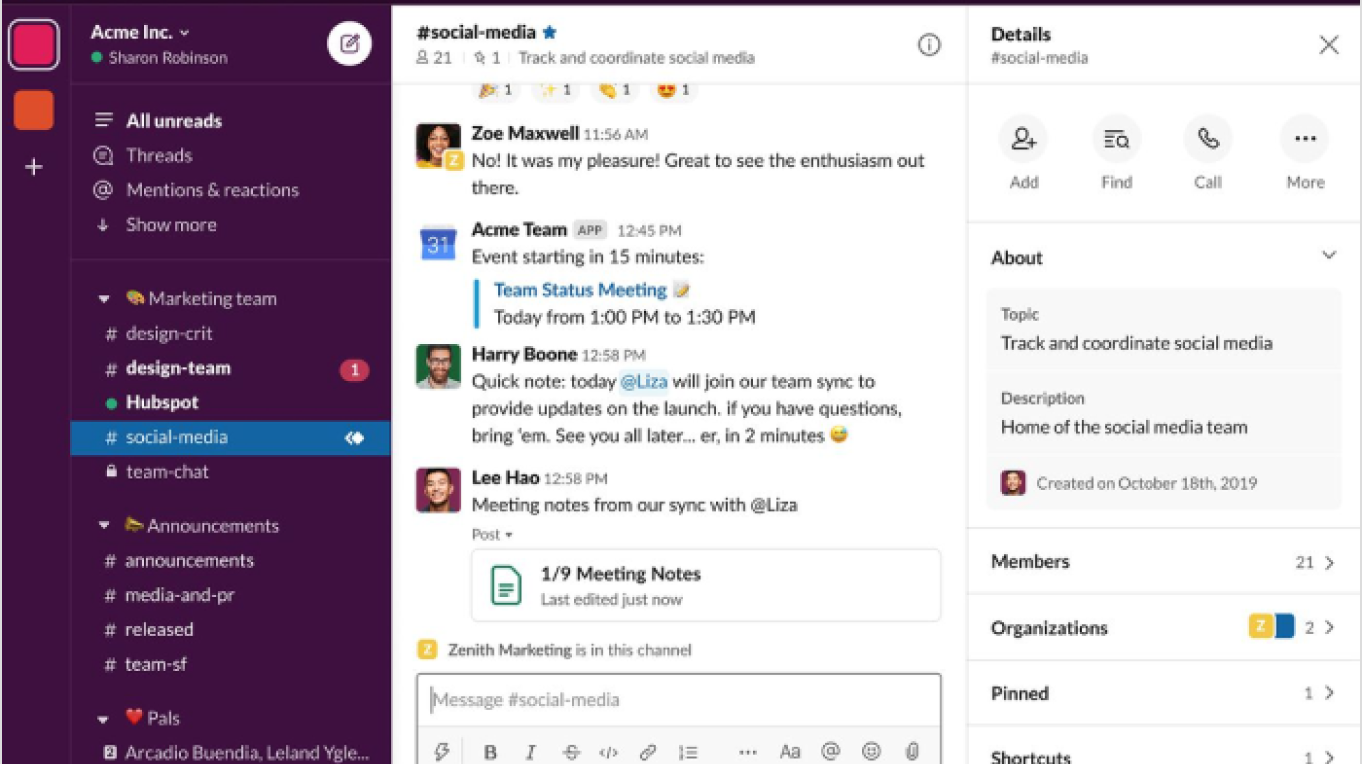
Slack is a stellar collaboration tool for remote workers due to its seamless communication features. With its real-time messaging, remote teams can effortlessly stay connected regardless of geographical barriers. Whether it's a quick question, a brainstorming session, or sharing updates, Slack keeps everyone in the loop, fostering a sense of companionship akin to being in the same office space. Whether it's sharing documents, exchanging ideas, or coordinating tasks, the platform provides a centralized hub for collaboration, enhancing productivity.
Additionally, Slack's integrations with various tools and apps further enhance its utility for remote workers. From Google Drive to Trello to Zoom, these integrations enable seamless workflow management and facilitate collaboration across different platforms.
Best Suited For:
Small & Mid-Sized Companies
Standout Features
Real-time messaging
Organized channels
Integration with tools and apps
Customizable notifications
Searchable archives
File sharing and collaboration
- Integration with Productivity Tools
- Enhanced Collaboration
Customer Review
“One of the things I like best about Slack is its versatility and ease of communication. It's great for both casual conversations and professional collaboration.” (Source: G2)
- Potential Security Risks
- Distraction and Notification Overload
Customer Review
“One aspect that some people find challenging about Slack is managing notifications effectively. With so many channels and conversations happening simultaneously, it's easy to get overwhelmed by notifications” (Source: Capterra)
Notable Clients
- NASA
- ETSY
- Uber
- Target
- The New York Times
Pricing

Microsoft Teams
Why Microsoft Teams?
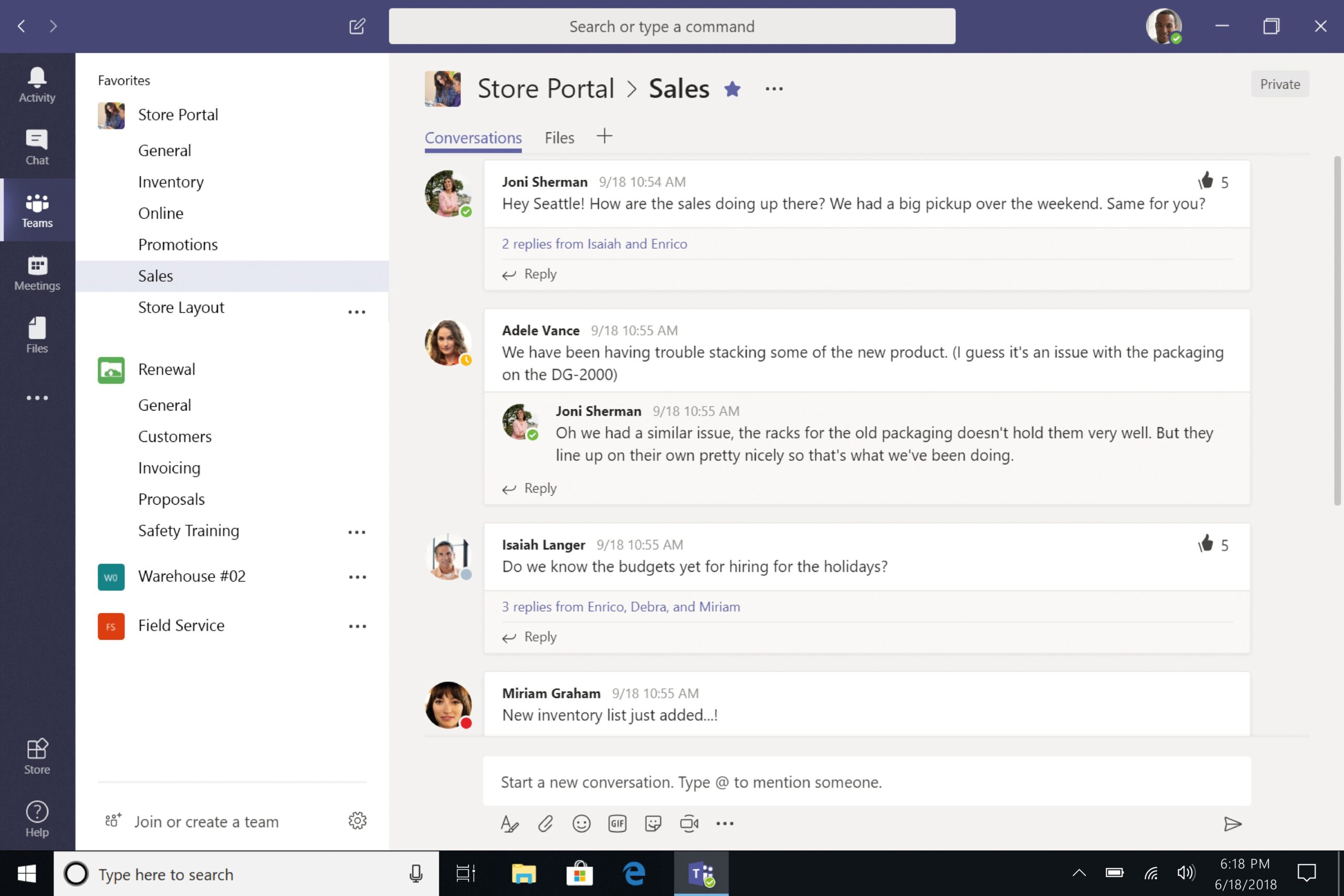
Microsoft Teams stands out as a holistic collaboration hub, facilitating seamless communication and coordination among teams. By amalgamating a plethora of features like chat, video meetings, file sharing, and app integration within a unified interface, it emerges as the go-to solution for enhancing team productivity and connectivity. The platform empowers users to establish channels tailored to specific projects or themes, fostering structured conversations and streamlined document sharing within dedicated spaces.
Its seamless integration with Microsoft 365 staples such as Word, Excel, and PowerPoint enable instantaneous co-authoring and smooth workflow amalgamation. Furthermore, Teams prioritizes security and compliance, boasting robust measures to safeguard sensitive data and uphold regulatory standards.
Best For:
Companies of All Sizes
Standout Features
Video conferencing
Instant messaging
File sharing
Access across various devices
Customization
- Intuative and easy to use
- Its integration to Microsoft 365 provides access to Similar apps like Word and Excel
Customer Review
“If I had to choose what I like best about Microsoft Teams, I would say it's the seamless integration with other Microsoft 365 apps” (Source: G2)
- Performance issue with very large teams or complex tasks.
- Learning curve for users not familiar with Microsoft products.
Customer Review
“The array of features, menus, integrations and customizations can make Teams unintuitive. Adoption in large enterprises takes strategic change management” (Source: G2)
Notable Clients
- Accenture
- Toyato
- Kohler
- Ernst and young
- SAP
Pricing

ClickUp
Why ClickUp
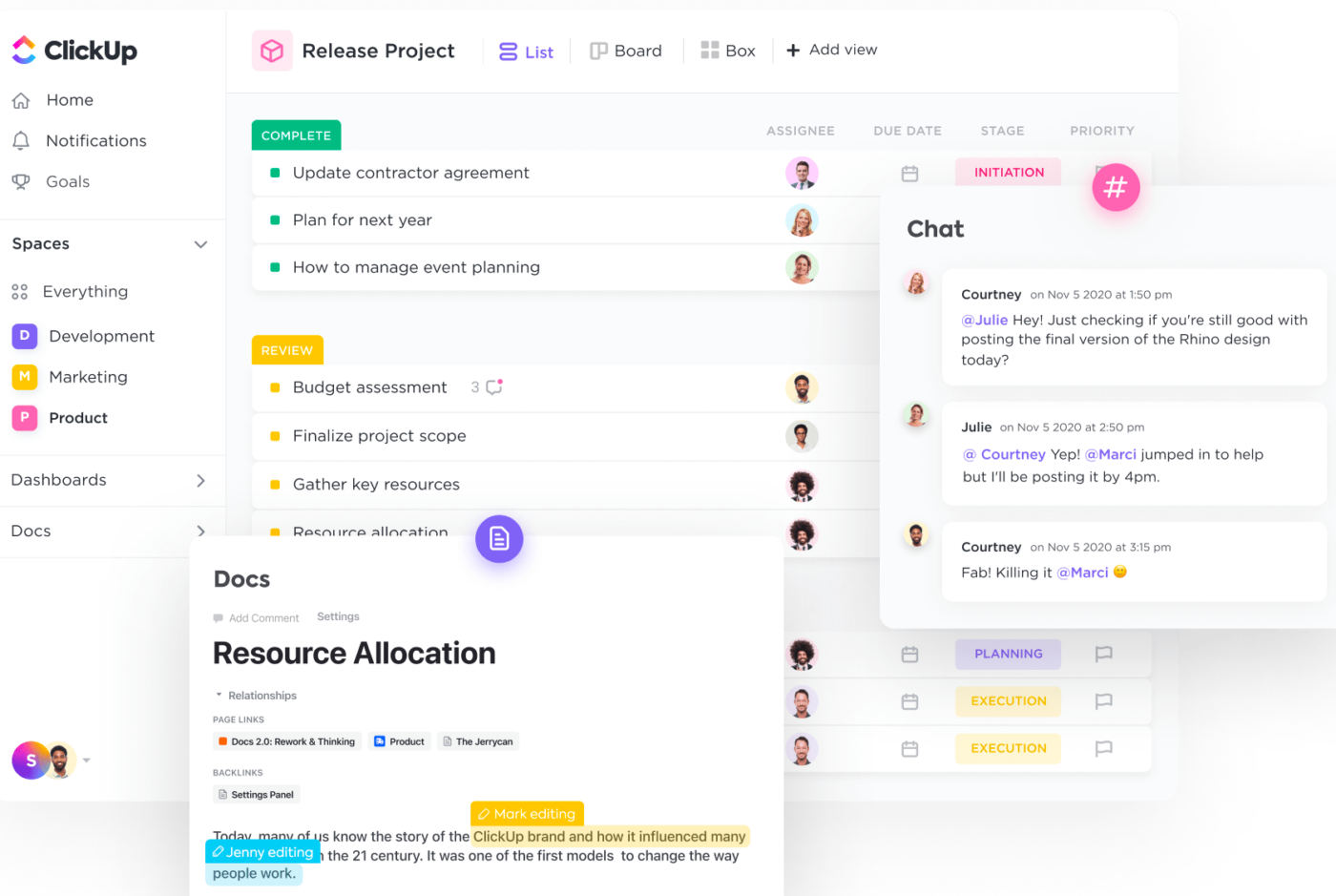
ClickUp is a great tool for teams to work together, especially if they're working remotely. It helps them communicate and get things done even if they're far apart. With ClickUp, teams can manage projects, have meetings online, and share documents easily. It makes working together smooth and efficient, no matter where team members are.
Plus, ClickUp works well with other tools too, making it even more useful. It connects with tools like Trello for project management and Google Workspace for document collaboration. By bringing everything together in ClickUp, teams can stay organized, work better, and achieve success.
Best For:
Companies of all sizes
Standout Features
Collaborative features like whiteboards.
Features multiple view options like lists and boards.
Its structure efficiently organizes tasks into Spaces and Folders.
Real-time tracking.
Integration with various tools.
- The platform has a user-friendly interface enabling a short learning curve.
- It also provides a modular approach to pricing tiers allowing flexibility to users.
Customer Review
“ClickUp enables all of our team members to communicate effectively on any given task and related project with ease.” (Source: G2)
- Limited options for customization
- Takes time to learn for new users
Customer Review
“The learning curve on how to really use it is rather steep.” (Source:G2)
Notable Clients
- Netflix
- Airbnb
- Freelance cake
- Watson digital
Pricing
Todoist
Why Todoist
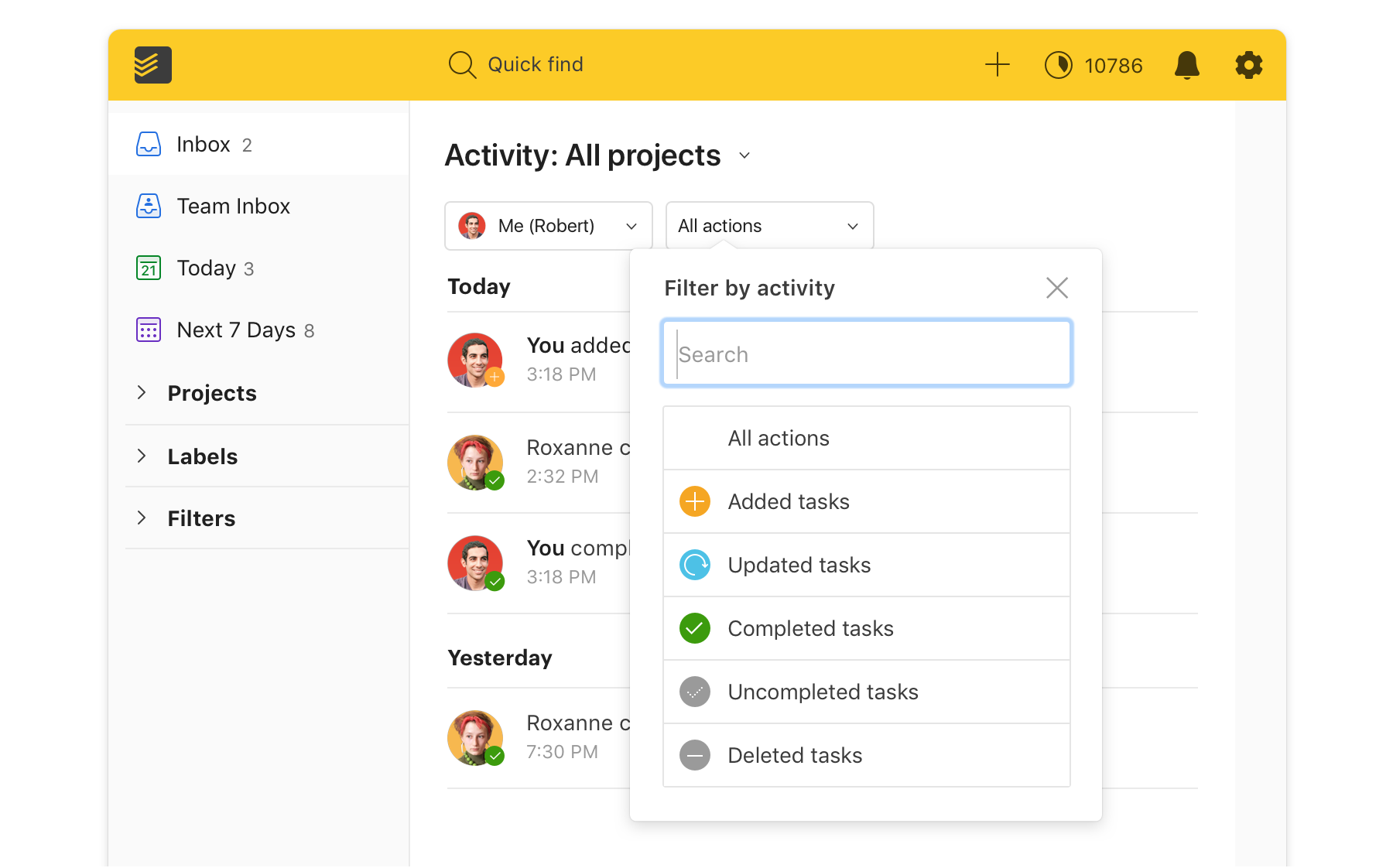
Todoist is a versatile task management tool that excels in both individual and collaborative settings. Its intuitive interface and comprehensive features make it an excellent choice for teams looking to stay organized and productive. One of Todoist's key strengths is its ability to facilitate collaboration seamlessly. Team members can create shared projects, assign tasks to each other, set deadlines, and track progress in real-time.
Additionally, the platform offers integrations with popular communication tools like Slack and Microsoft Teams, further enhancing collaboration by centralizing task management within existing workflows.
Best For:
Small to Medium-sized Companies
Standout Features
Task management
Seamless integration with over 80 apps
Mobile accessibility
Custom views
Project organisation
- Provides different views such as Lists, kanban, Calendar etc.
- Seamless integration with various devices.
Customer Review
“This tool can be used from any device which is a great achievement in my view. It is easy to use too.” (Source: Capterra)
- Limited offline functionality
- Lacks advanced features.
Customer Review
“It lacked feature that I need and sometimes it is quite frustrating, and I have to using other software to get it done.” (Source: Capterra)
Notable Clients
- Disney
- Amazon
- Microsoft
- Netflix
- Salesforce
Pricing

Confluence
Why Confluence
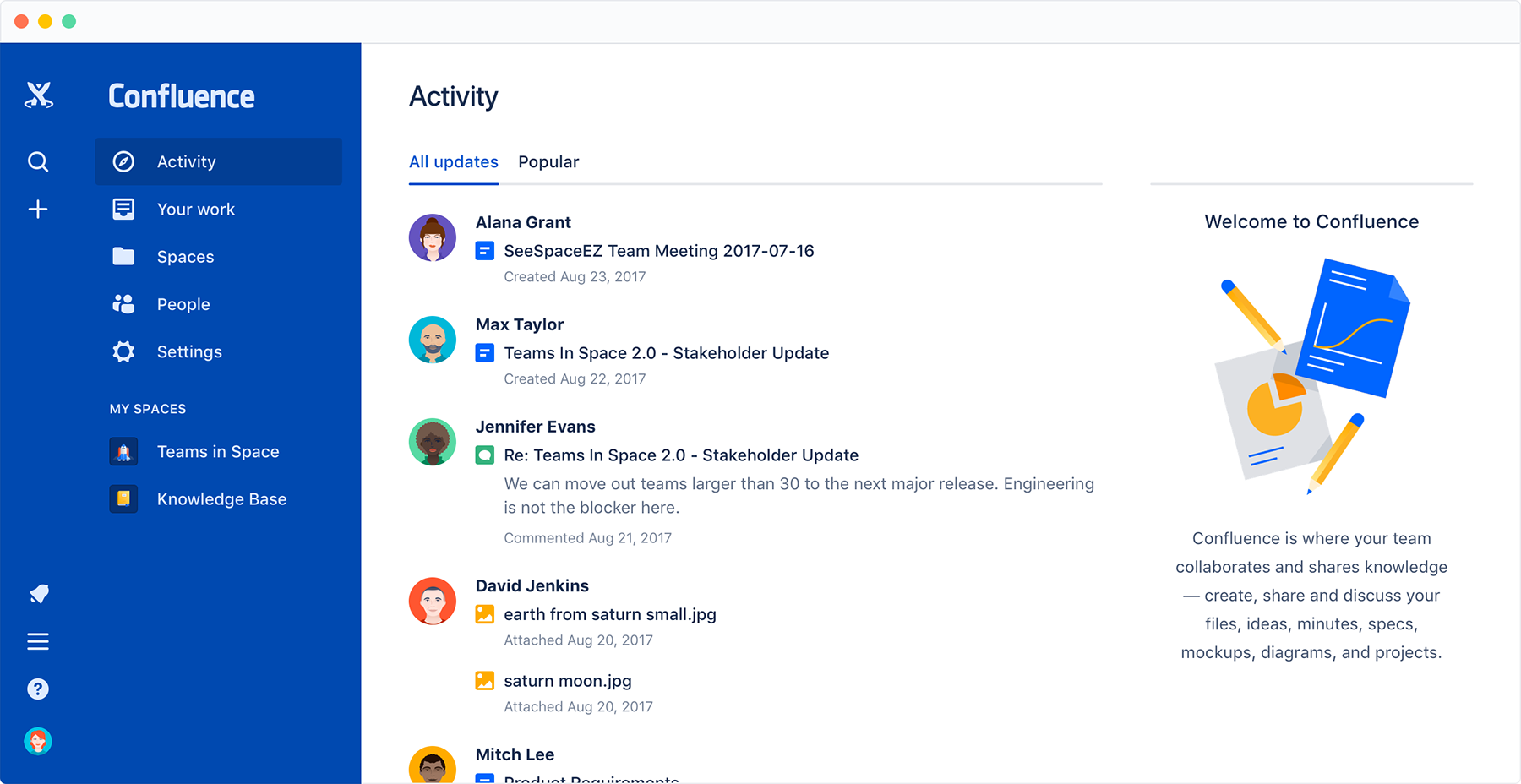
Confluence stands out as an outstanding collaboration platform, highly preferred by remote teams for its seamless integration of communication and productivity tools. Its extensive array of features empowers teams to work efficiently, overcoming geographical barriers and fostering a unified work environment.
Moreover, Confluence's compatibility with various third-party applications further enhances its value for remote teams. From its seamless integration with project management tools like Jira to its interoperability with document collaboration platforms such as Microsoft Office, these integrations streamline workflow management and enhance productivity across diverse platforms.
Best For:
Companies of all sizes.
Standout Features
Enables multiple users to collaboratively work on the same document in real-time.
Condenses lots of information and handles tasks automatically.
Simplifies arranging and finding pages using labels and a hierarchical structure.
Using ready-made templates for easier task management.
- The platform lets admins control who sees what, keeping private info safe.
- It provides an extensive array of templates and macros, simplifying tasks for users.
Customer Review
“The different page templates make it easy to find a way to present information in a clear, easy-to-read format.” (Source: Capterra)
- New users may encounter challenges in adjusting and adapting to the software interface.
- Certain advanced features in Confluence may come with a higher price tag.
Customer Review
“The User interface is not interactive while creating documents, and the documentation is unclear. It is complex for new users to build pages. The price is also a bit high.” (Source: Capterra)
Notable Clients
- Netflix
- Udemy
- CRED
- Lyft
Pricing

Miro
Why Miro
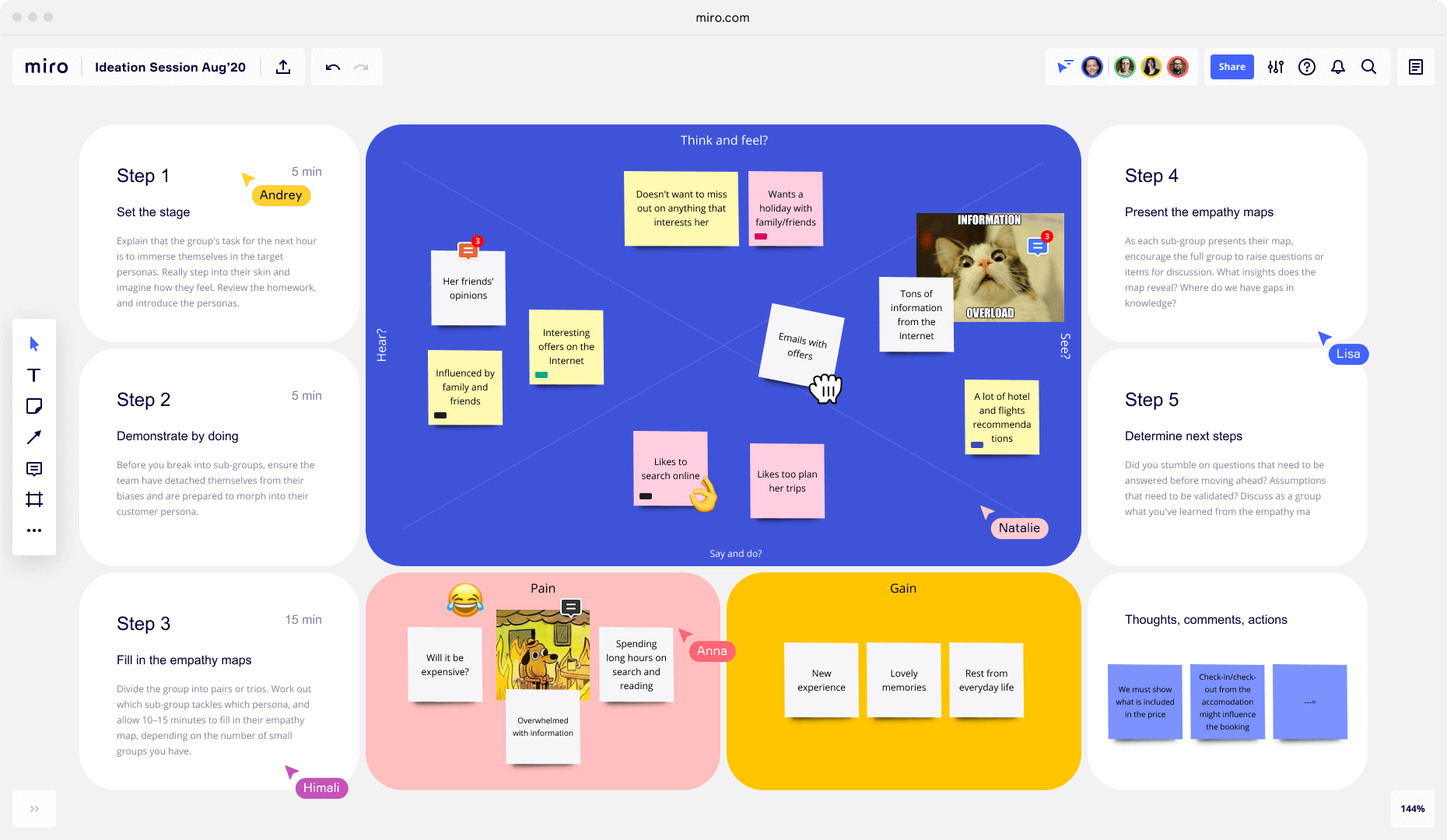
Miro is a great tool for working together online, especially when you're not in the same place. It has a special feature called an interactive whiteboard that makes online meetings fun and creative. With Miro, you can share your ideas and plans visually with your team in real-time, just like you would if you were all in the same room.
Miro's interface is simple to use, making collaboration accessible for everyone. Its diverse range of templates and tools accelerates project kick-offs, streamlining your workflow. Plus, its seamless integration with other apps enhances efficiency, ensuring a smooth collaborative experience across platforms.
Best For:
Small to Mid-Sized Companies
Standout Features
Offers a variety of projects templates and frameworks
Seamless integration with other software and platforms
Mobile applications allow users to access and collaborate on the go.
Facilitates real time collaboration
provides a digital canvas allowing teams to brainstorm ideas
- It is suitable for teams of all sizes.
- Its visual interface promotes clarity and enhances understanding.
Customer Review
“Miro is EASY. You can invite anyone to collaborate with a board and it will be easy - even to a person with not much contact with collaborative tools” (Source: Capterra)
- Lack of responsive customer support .
- Working on large and intricate boards in Miro can lead to users encountering lag.
Customer Review
“I have discovered that when I have numerous people using my dashboard at once, it might become a little sluggish” (Source: Capterra)
Notable Clients
- Nike
- Yamaha
- IKEA
- Deloitte
- CISCO
Pricing

Trello
Why Trello
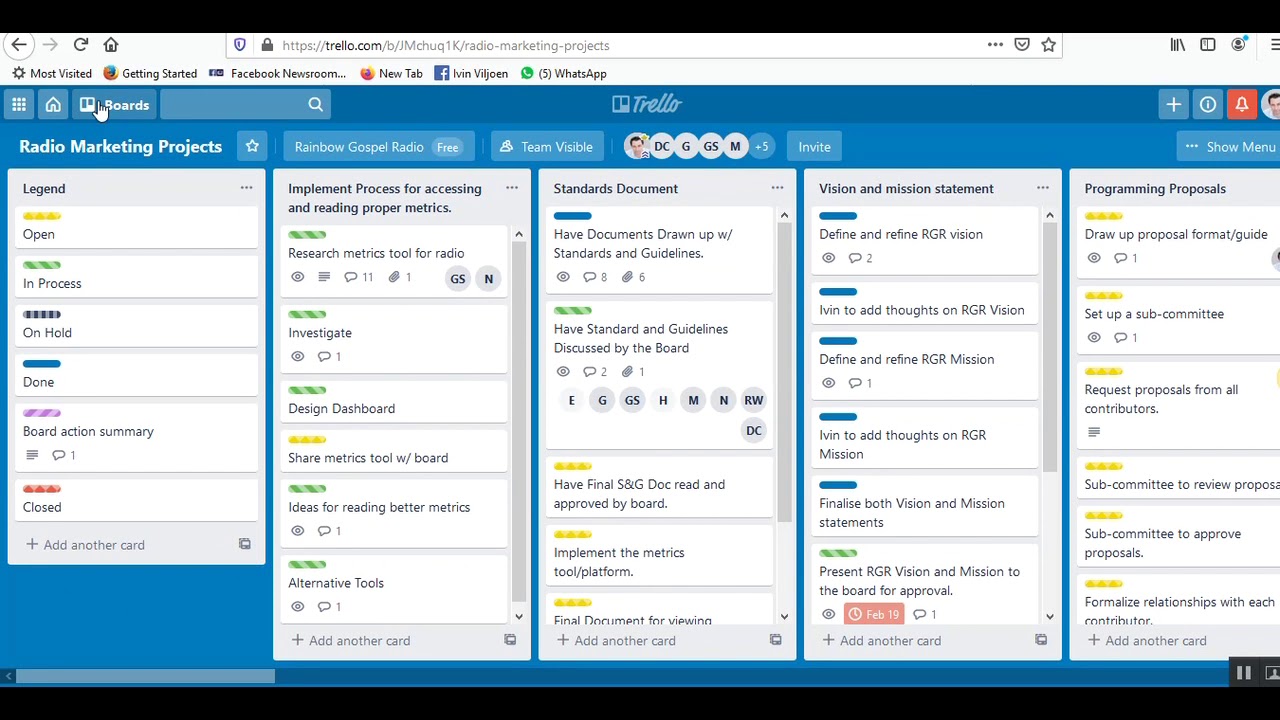
Trello stands out as an exceptional tool for fostering team collaboration and efficiently managing projects, especially when team members are geographically dispersed. Its hallmark is a visually intuitive board interface that streamlines task monitoring and workflow coordination.
Its flexibility in project management, coupled with a wide array of templates and the ability to integrate with numerous other applications, makes it a powerful tool for enhancing productivity and ensuring seamless teamwork across different platforms.
Best suited for:
Small to Mid-Sized Companies
Standout Features
Visual Project Management
Integration with apps like Slack, Jira, etc.
Mobile accessibility
Real-time collaboration
Customizable workflows
- The pricing structure is straightforward.
- The visual layout facilitates easy understanding and communication.
Customer Review
“Tasks can be easily created and organized because of its user-friendly interface, and they can be shown through customizable boards, lists, and cards” (Source: G2)
- Limited views as it only offers board view.
- Not ideal for complex projects.
Customer Review
“For huge or very complex projects, it can be a bit lacking in functions” (Source: G2)
Notable Clients
- Dessert boxes
- ATC memes
- Xero shoes
- Tediber
- Starter story
Pricing

Asana
Why Asana
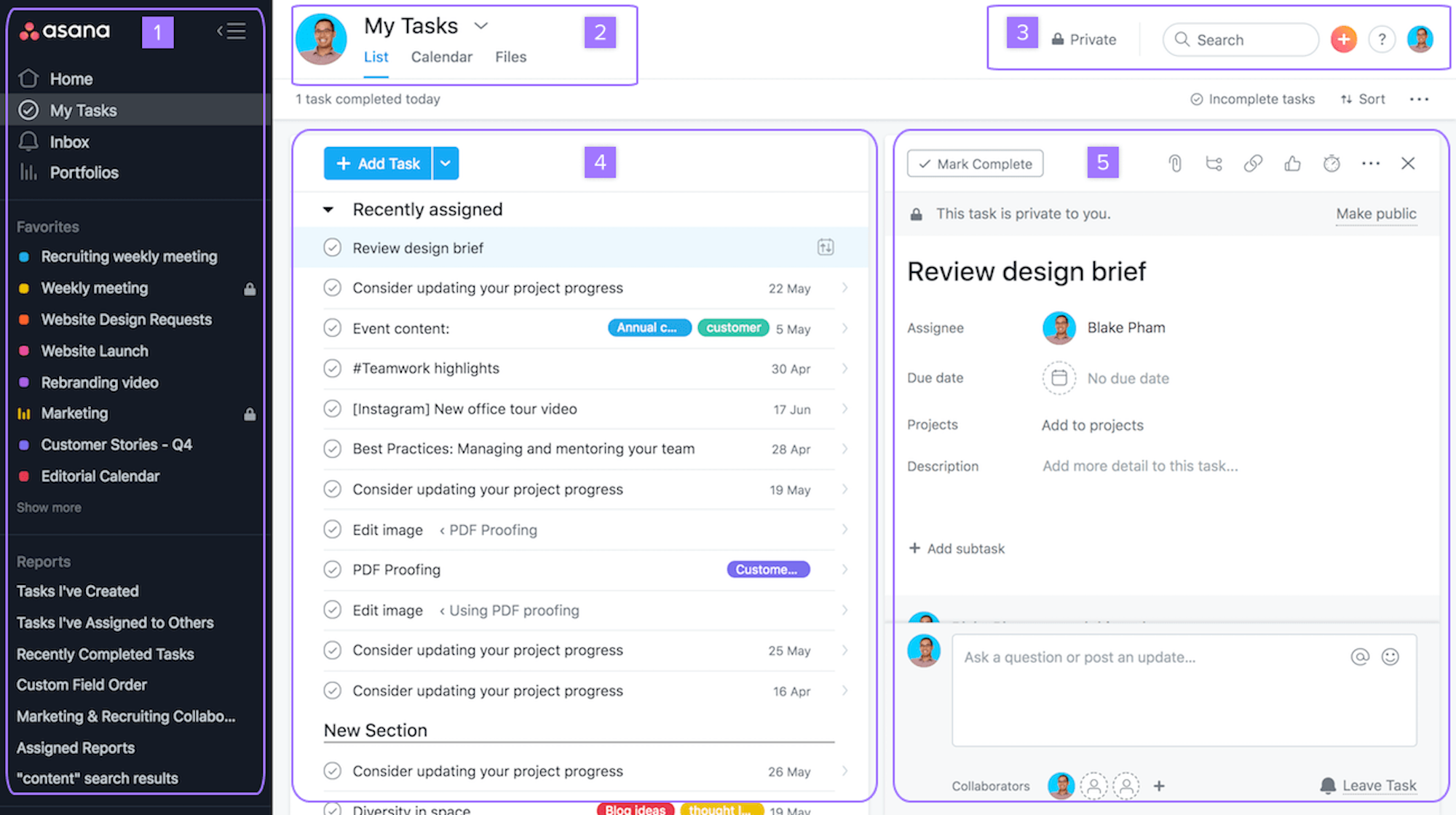
Asana is a versatile project management tool designed to enhance team productivity and streamline work processes. Its comprehensive features allow teams to organize, track, and execute tasks efficiently.
Asana empowers teams to work anytime, anywhere, keeping remote and distributed teams focused on their goals, projects, and tasks.
Best suited for:
Small to Large-sized Companies
Standout Features
Multiple project views
Integration with 200 Apps
Mobile and desktop accessibility
Real-time collaboration
Customizable workflows and templates.
- Offers a variety of views beyond the board view, catering to different project needs.
- Suitable for managing complex projects with its detailed features and integrations.
Customer Review
“Asana is a great tool for building project timelines and shifting responsibility to cross-functional partners.” (Source: G2)
- It can be overwhelming for new users due to its extensive features.
- The pricing is a bit higher compared to other tools for larger teams.
Customer Review
“Asana's pricing can be a downside for smaller teams and organizations, as advanced features like custom fields, portfolios, and timeline views are only available in premium paid plans.” (Source: G2)
Notable Clients
- Overstock
- HubSpot
- Figma
- Sony Music
- Zoom
Pricing
Benefits of Collaboration Tools
Remote teams need collaboration tools for many reasons crucial to their success and efficiency. Here are some of the main reasons why collaboration tools are crucial for their success and efficiency:
Real Time Collaboration : Collaboration tools enable smooth teamwork among team members, irrespective of their physical locations. With features such as real-time document editing and file sharing, everyone can contribute to projects simultaneously, ensuring seamless collaboration.
Boosting Accountability : These tools include features for time tracking and managing personal days, enabling team members to monitor availability and mutually uphold responsibility.
Enhancing Communication : Collaboration tools ensure seamless connectivity and teamwork among team members regardless of their geographic locations. Through chat and video conferencing features, everyone stays connected and collaborates effortlessly.
Organizing Workflows :Collaboration tools streamline the management of remote teams and projects by centralizing documents and communication, making coordination more straightforward.
Isolation Reduction : By fostering a sense of community and connection among remote workers, collaboration tools aid in mitigating feelings of isolation, thereby reducing isolation itself.
These reasons explain why Collaboration Tools are crucial for remote teams to function effectively and thrive, making them essential investments for organizations embracing remote work.
Challenges of Collaboration Tools
Remote workers face several challenges when using collaboration tools, and here are some of the most common ones:
Miscommunication: Despite having communication features, collaboration tools can still lead to misunderstandings or misinterpretations due to the lack of non-verbal cues and contextual context..
Technical Issues: Technical problems, like a weak internet connection or software malfunctions, can disrupt communication and workflow for remote workers.
Communication Overload: The overwhelming number of emails, messages, and notifications can lead to information overload and cause important messages to be overlooked.
Learning Curve: The process of adapting to new collaboration tools may necessitate time and training, resulting in initial inefficiencies and reluctance among team members.
Time Zone Differences: Coordinating meetings and collaboration among team members across different time zones can be difficult for global teams, causing delays and challenges in real-time communication.
Security Concerns: To tackle these challenges, it's essential to carefully select the tools employed, provide thorough training for remote workers, implement strong security measures, and develop strategies to improve communication and collaboration among team members working remotely.
How to Choose the Right Collaboration Tool for Remote Team?
When choosing the right Collaboration Tool for remote teams, start by thoroughly assessing your team's specific needs. This involves understanding their communication preferences, project management requirements, and file sharing needs. By pinpointing these aspects, you can focus on options that align with your team's preferences and workflow.
After identifying your team's requirements, evaluate the features offered by different collaboration tools. Look for tools that provide essential features like messaging, video conferencing, file sharing, and task management. Also, consider if the tools support real-time collaboration, mobile access, and integration with other software your team uses.
As sensitive data is shared and accessed remotely, security and compliance are crucial factors to consider when selecting a collaboration tool for remote team.
In conclusion, selecting the right Collaboration Tool for remote teams requires a thorough understanding of team needs, careful evaluation of features, prioritization of security, and other factors you might deem to be necessa.
By following these guidelines, teams can choose a tool that enhances communication, boosts productivity, and ensures secure collaboration, thereby supporting the success of remote work initiatives.
FAQs
Q. What are the different types of collaboration tools available for remote workers?
A. Collaboration Tools come in various types, each designed to facilitate different aspects of teamwork. Some of the different types of collaboration tools are:
- Communication tools: Slack and Microsoft Teams
- Video conferencing tools: Zoom and Google Meet
- Project management tools: Trello, Asana, and Monday
- Document collaboration tools: Google Drive and Dropbox
Q. Are there any free collaboration tools for remote workers?
A. Certainly, various collaboration tools Software options offer complimentary versions, and numerous others provide trial versions that include a selection of beneficial features.
Q. What are some best practices for maximizing the effectiveness of collaboration tools in remote work?
A. Establish clear communication norms and guidelines, set expectations for responsiveness, and use collaboration tools consistently for all team communications and project management tasks. Regularly review and optimize workflows and leverage integrations with other tools to streamline processes.
Q. Can collaboration tools be integrated with other applications?
A. Yes, many collaboration tools offer integration capabilities with a wide range of other applications to streamline processes and reduce context switching.
Q. How do collaboration tools support creativity and innovation in remote teams?
A. Collaboration Tools facilitate brainstorming, idea sharing, and feedback gathering, fostering an environment conducive to generating creative solutions and driving innovation within remote teams.

This article is compiled by Tanu Nath. Is a Product Research Analyst at Vantage Circle.Tanu has a knack for diving deep into products, unraveling their features, and understanding their unique selling points. Her academic background in business administration complements her passion for product knowledge. Tanu finds joy in exploring the world of products and connecting with like-minded individuals. To get in
You might also like

I Reviewed the Best Corporate Giving Software of 2026: Here Are My Top 10
A comprehensive review of the Top corporate Giving Platforms, highlighting essential features, pricing, and other key factors....

Best HR Analytics Tools in 2026: Pricing, Features & More
An extensive evaluation of the best HR Analytics Software, focusing on key features, pricing, and more. ...

10 Top Talent Management Software of 2026
An extensive evaluation of the best Talent Management Systems focusing on key features, pricing, and more. ...